
208-557-1938 • customerservice@wetstake.com • wetstake.com
Instructions
Proper setup and care of your WET Stake ensures reliable alerts all season and helps you receive your full deposit refund when returning equipment.
Field Setup
Choosing Your Location
- End of the row: Place the device where you want to be notified that water has arrived
- Stable setup: Use the two poles to prop up the device as a tripod on stable ground
- Sensor position: Place the water sensor where irrigation water will flow
- Cellular signal: Verify adequate cell signal at the installation location
Installation Steps
- Unpack the equipment and verify all components are present
- Pull out the poles and set up the tripod at the end of your irrigation row
- For best results, avoid having the base touch green vegetation
- Power on the unit and verify it connects (you will receive a notification)
- Before your first use, test the sensor in a bucket of water to confirm it's working
Important
Keep the main electronics housing above the water line. Only the sensor probe should contact water. Retrieve the unit promptly once water detection occurs so it doesn't get submerged or lost in crops.
Power & Charging
Turning On
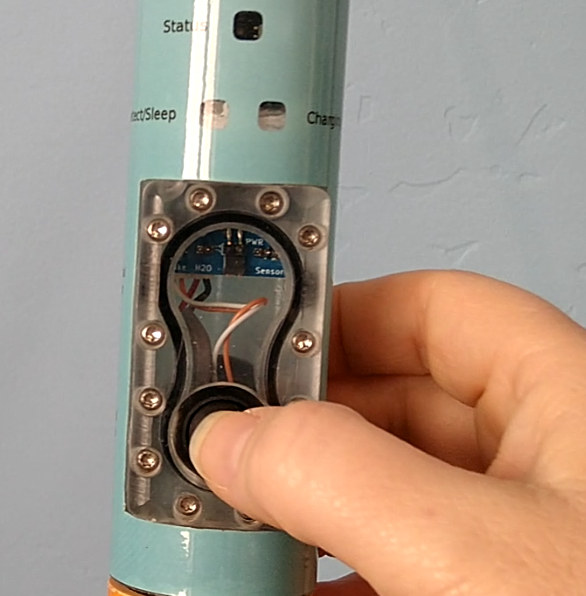
Press the power button. The device will show quick green/light blue flashing while connecting, then slow pulsing when ready.
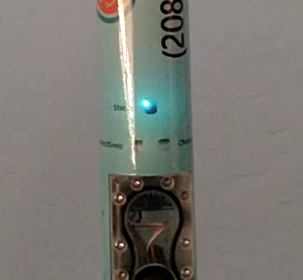
A slow pulsing cyan (light blue) light means the device is connected and ready.
Turning Off
Black button: Hold the power button for 2-3 seconds — let go when the dark blue light comes on. The light will turn orange while shutting down, and you'll receive an offline notification.
Blue button: Push the catch switch out to turn off. No offline notification is sent with blue button models.
Charging
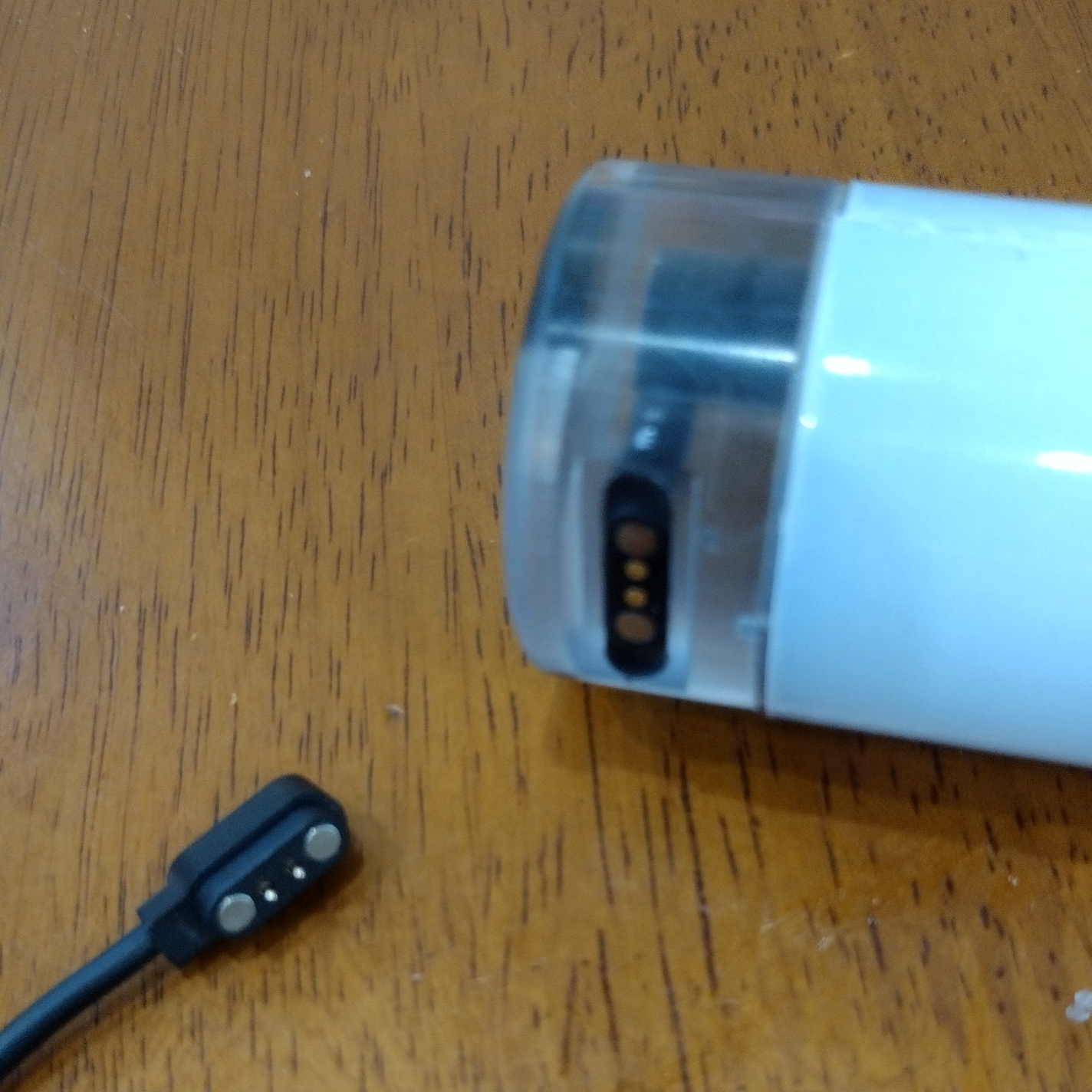
Magnetic charging cap with cord
Updated solar panel
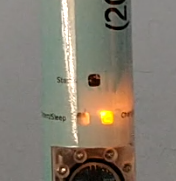
Orange light = charging
- The battery lasts 2-3 weeks on a single charge
- Charge using the included magnetic USB charge cord until the orange light turns off
- Optional solar panel: The updated panel attaches directly to the device with no cord needed. Position it to face sunlight for hands-free charging
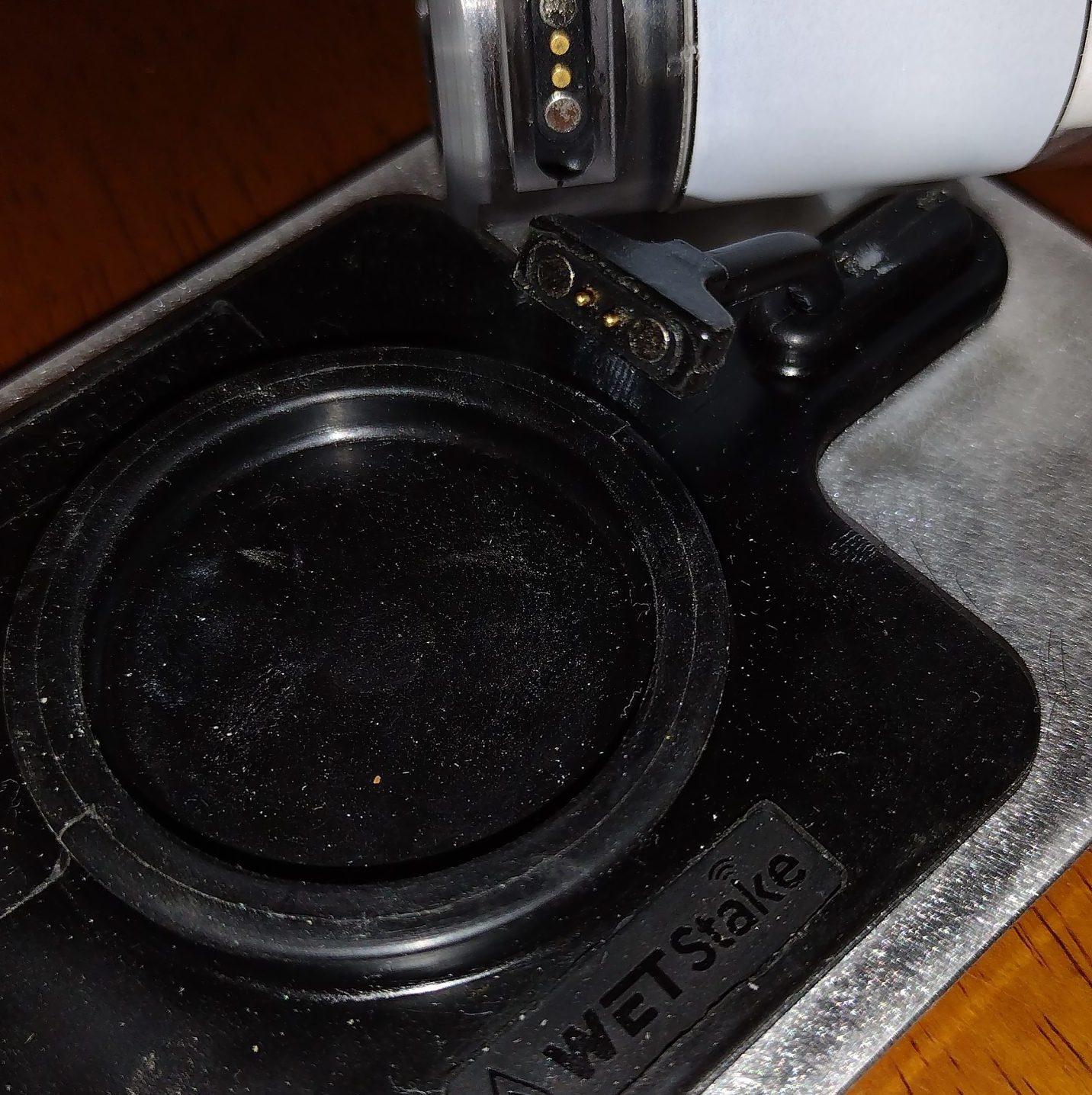
- Old style charging caps are being phased out. If you still have one, it will continue to work — see images below for reference
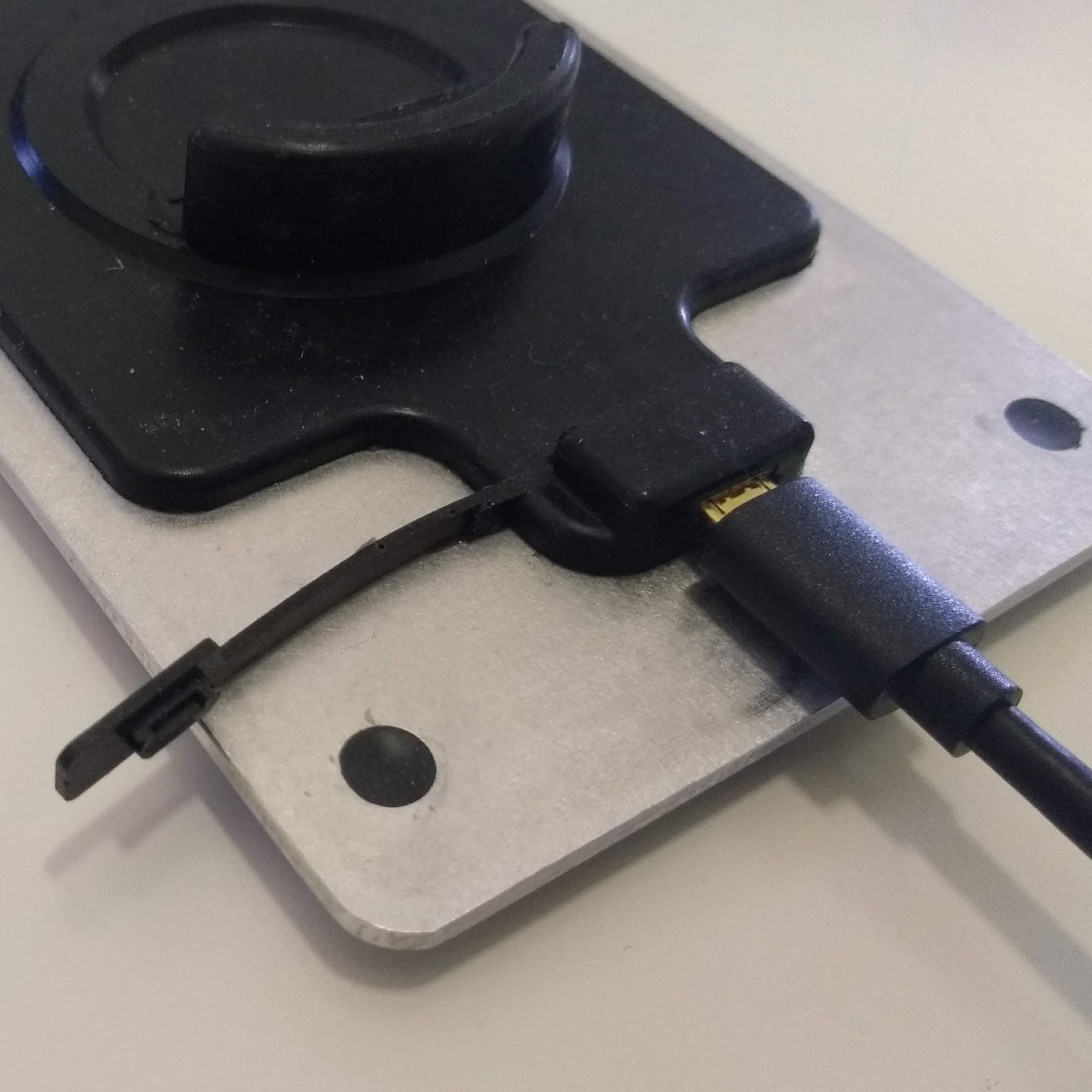
Old style solar panel
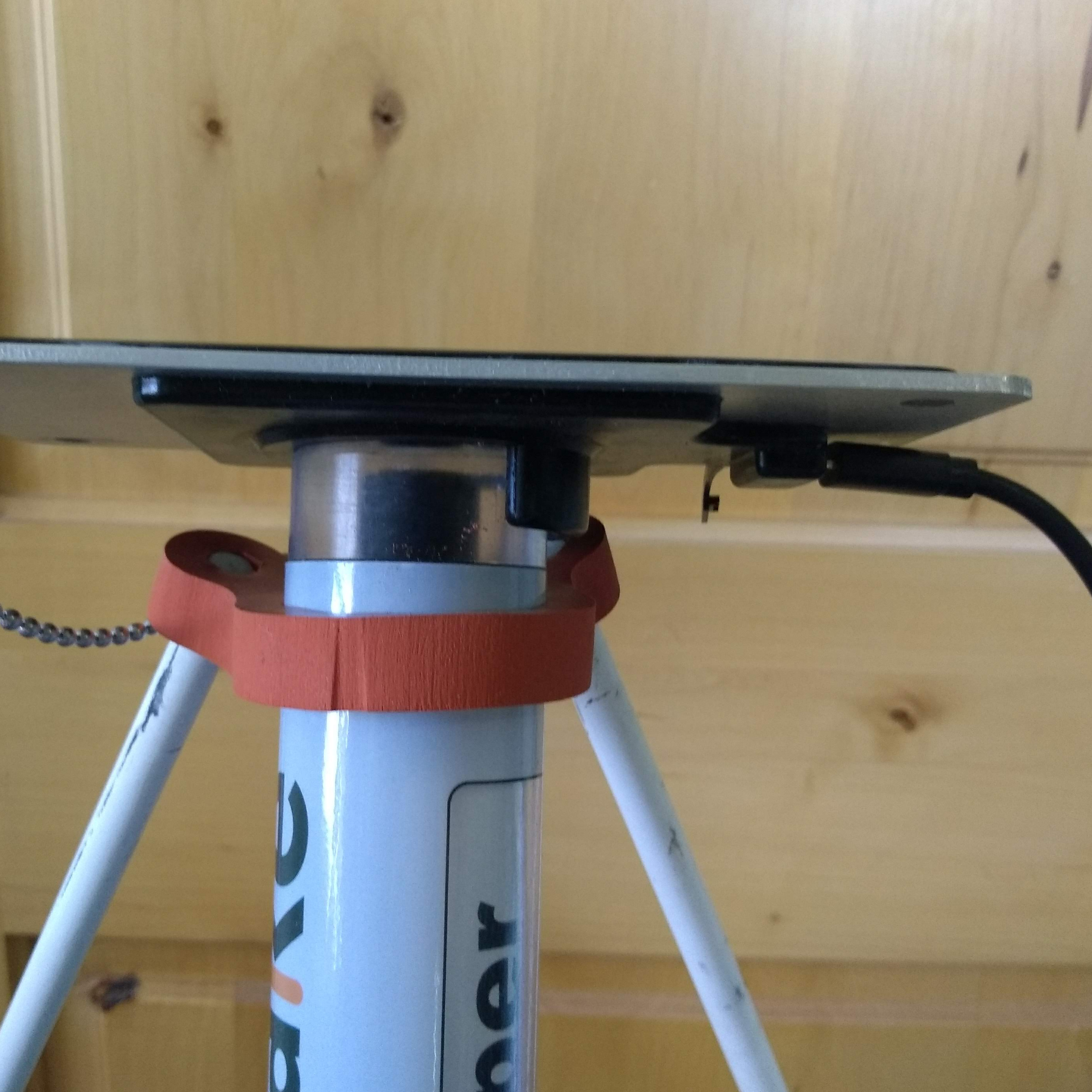
Old style — plugged in to charge
During Use
Water Detection
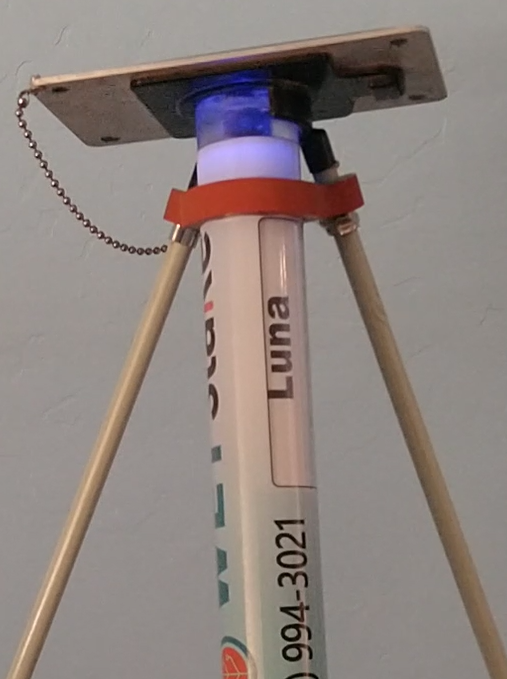
When water is detected, the device sends a text or call notification and flashes a blue light ten times every 30 seconds. Press the power button once to disable the flashing.
Tips
- Monitor the charge light: Recharge when you receive low battery alerts
- Retrieve promptly: Once water is detected, retrieve the device promptly
Text Commands
You can configure your device by texting commands to its dedicated phone number (shown on the stake). Start each command with your device ID. Commands are not case-sensitive.

Your device ID is printed on the stake label
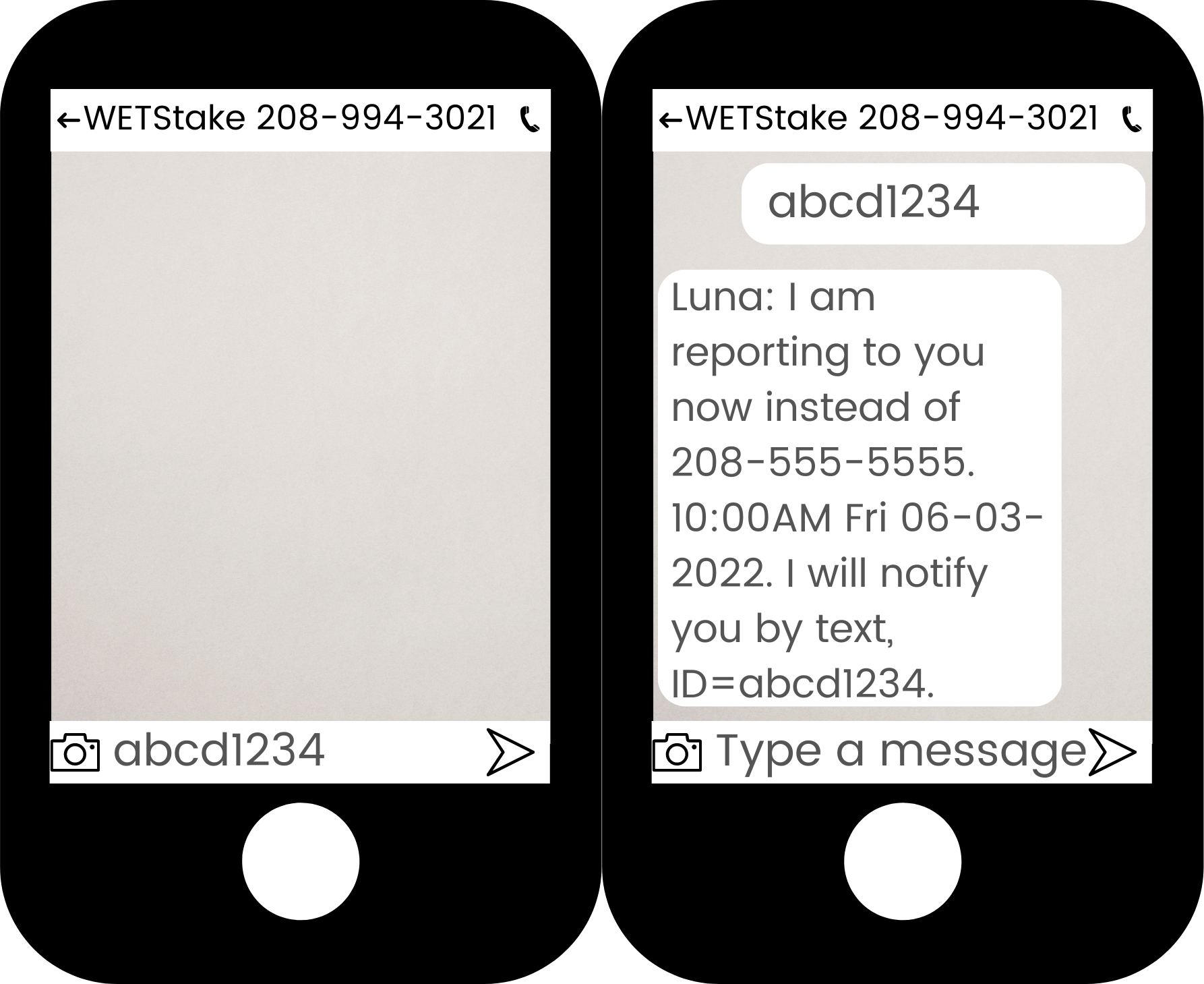
[ID] contact
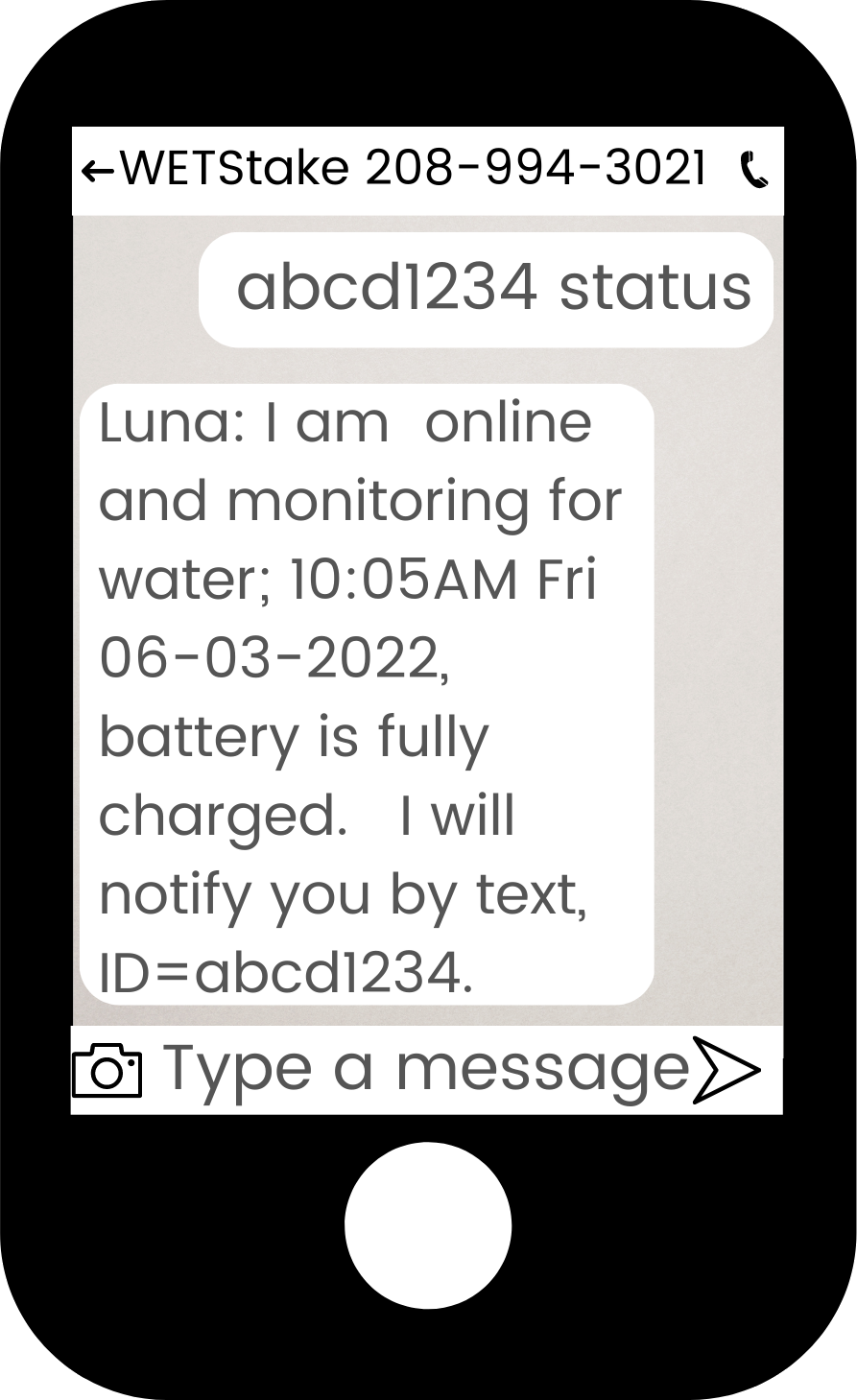
[ID] status
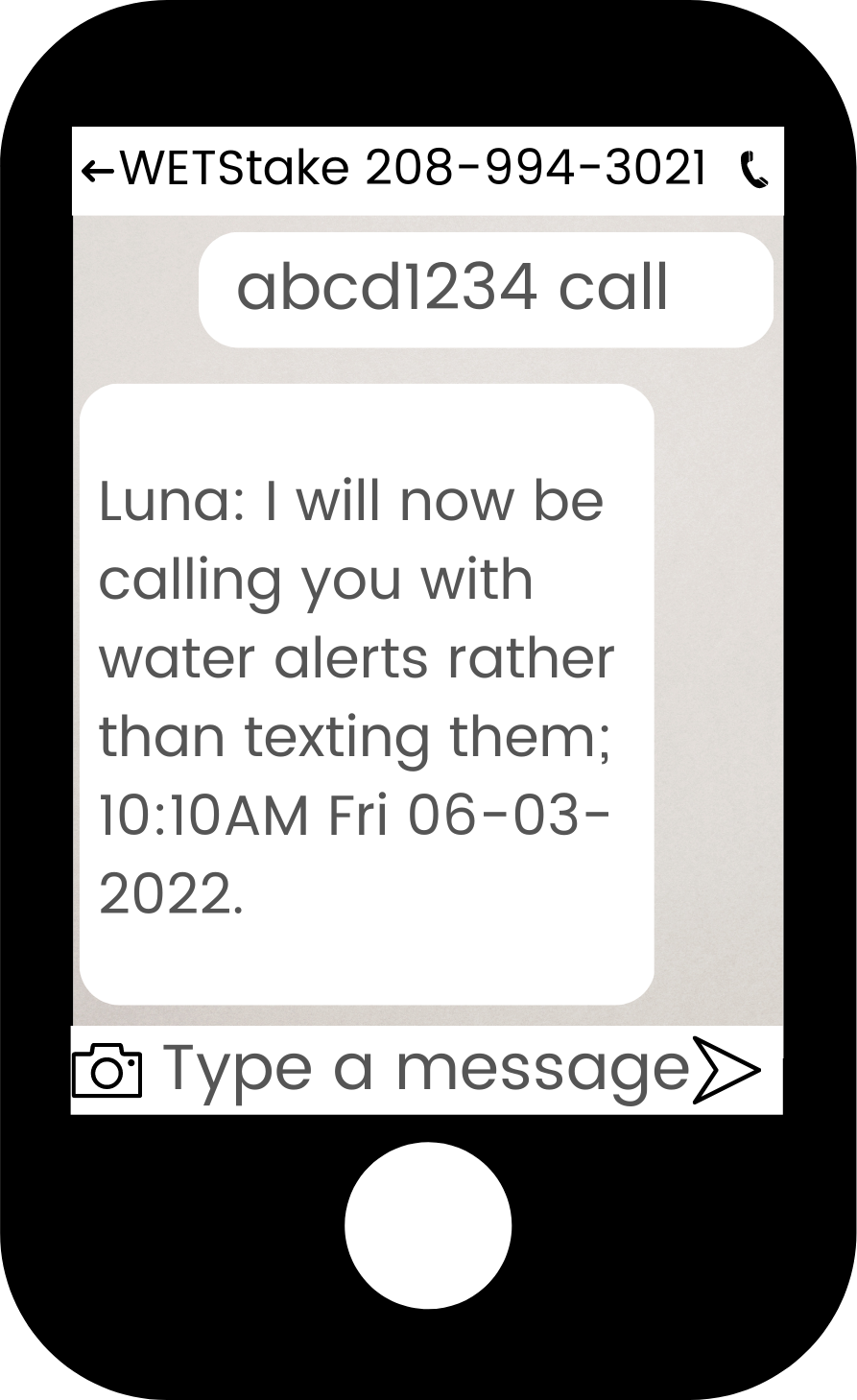
[ID] call
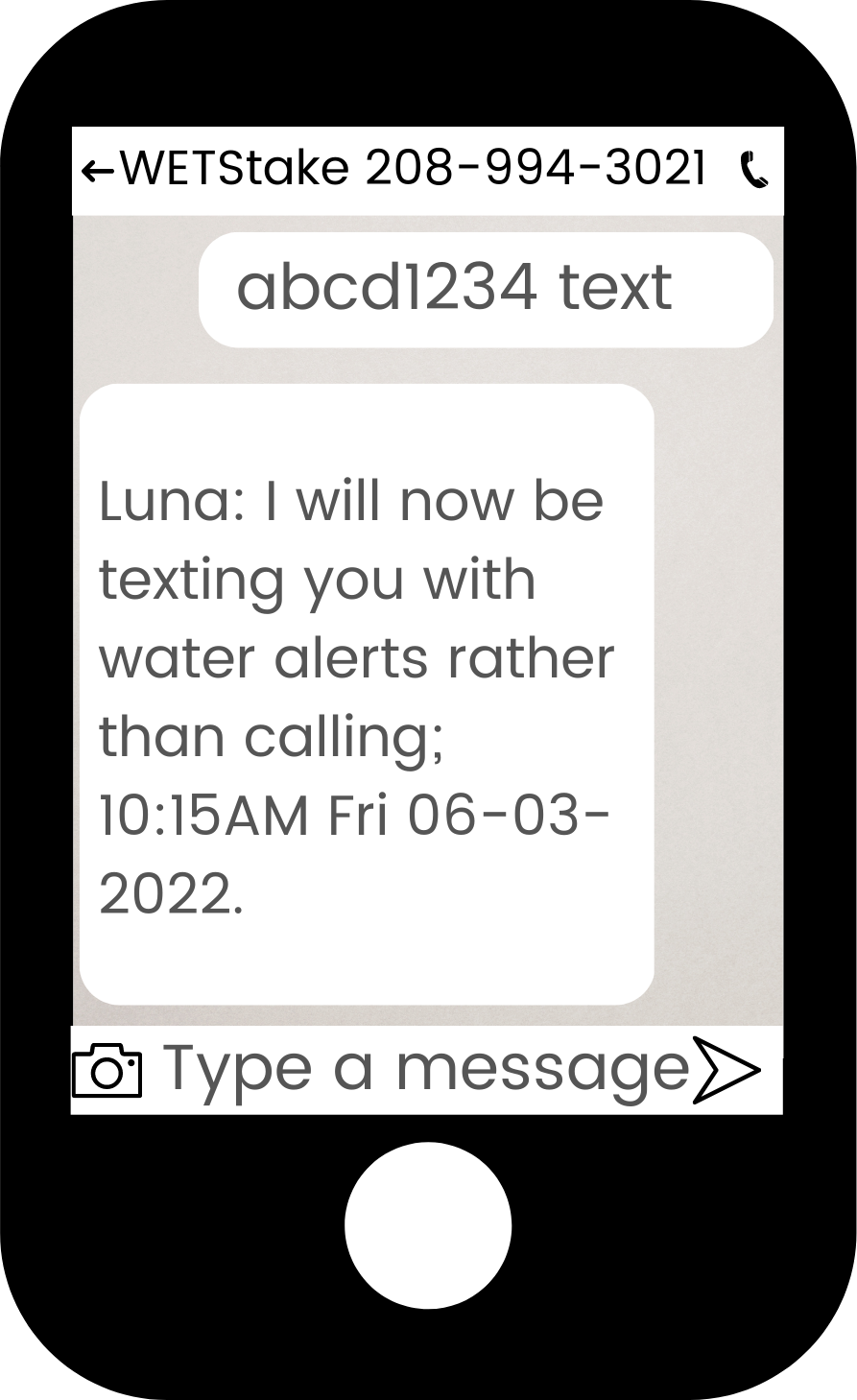
[ID] text
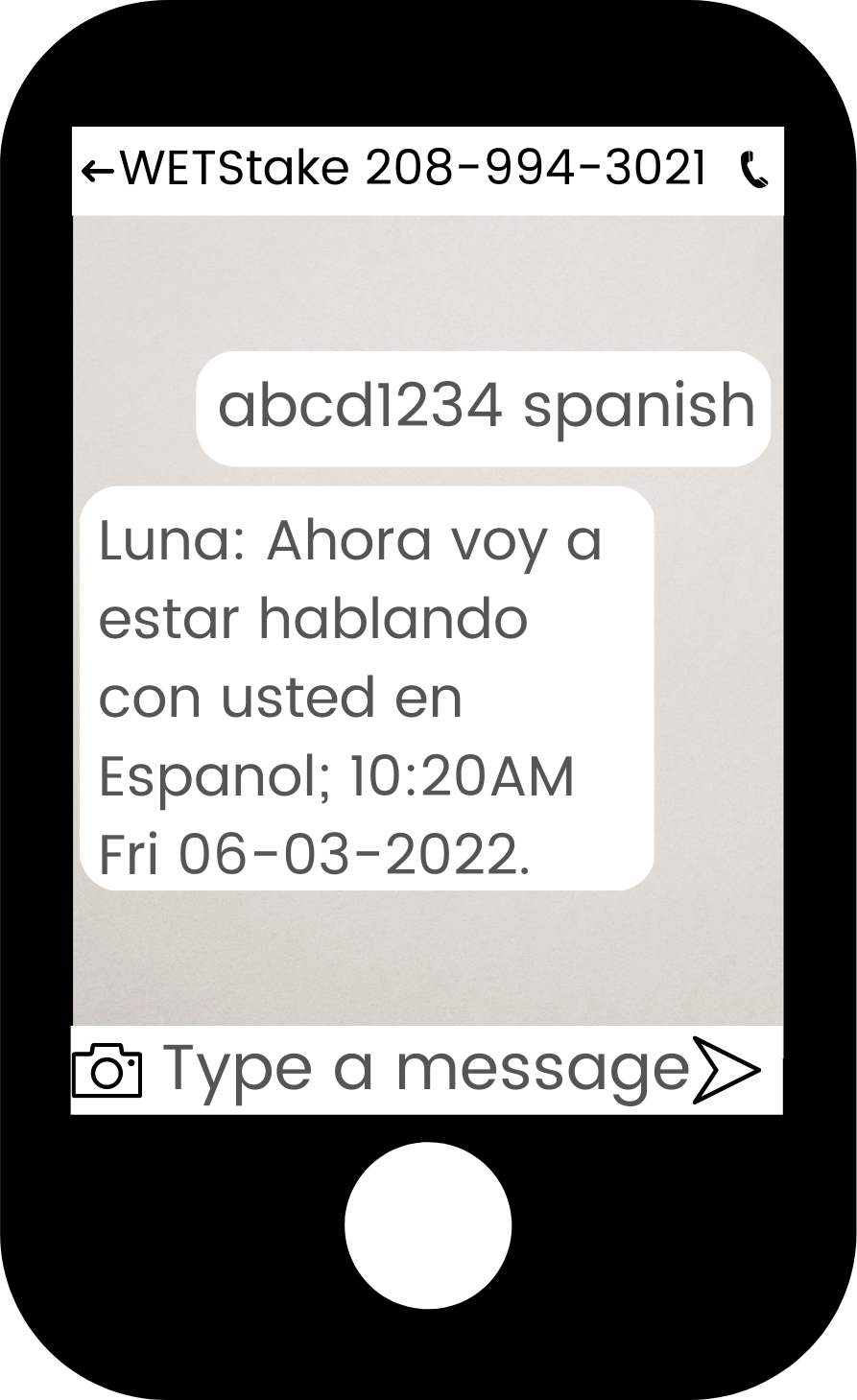
[ID] spanish
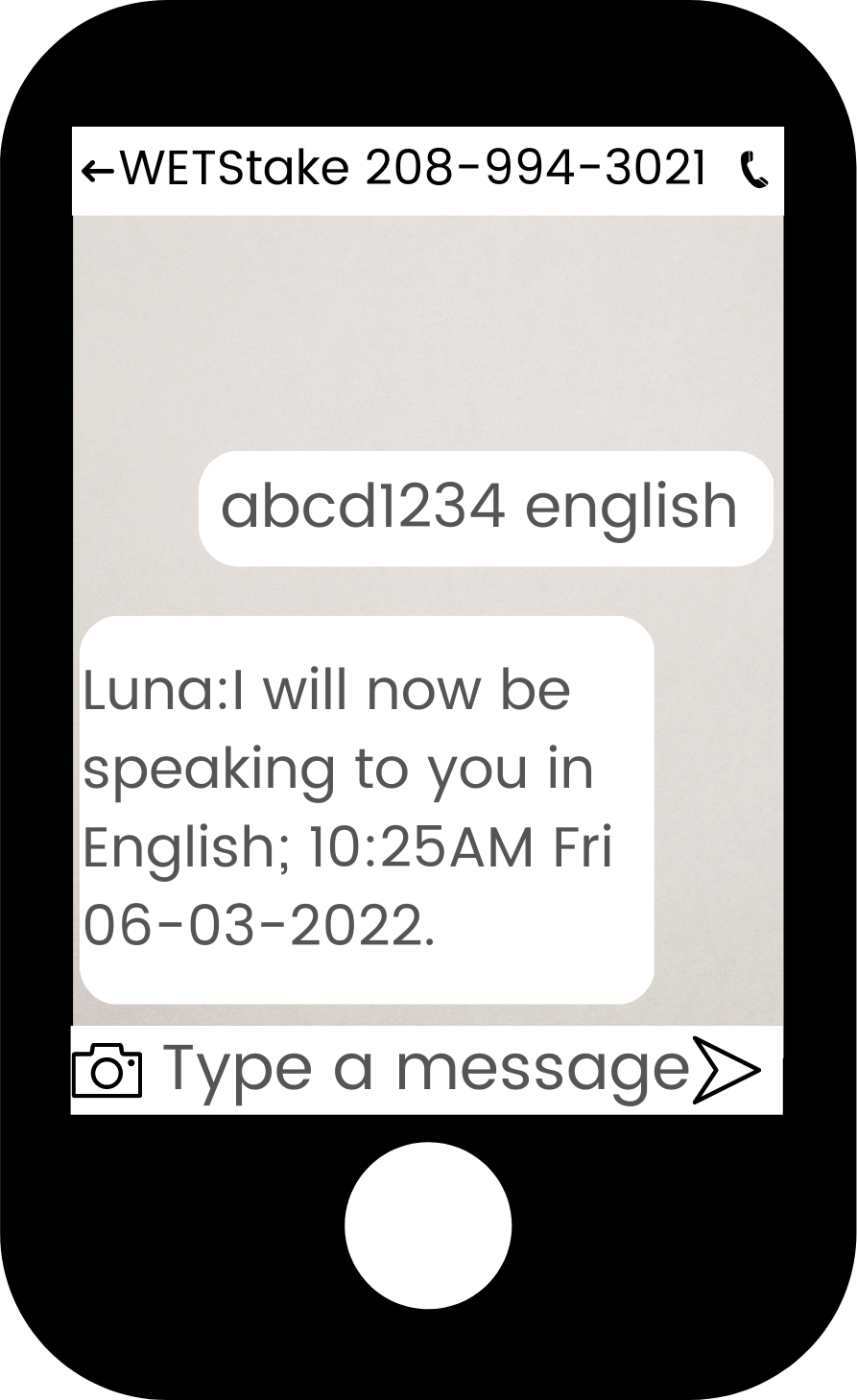
[ID] english
Service Features
Humidity Monitoring
With the humidity sensor enabled, your device can monitor humidity levels in addition to water detection. You set upper and lower humidity thresholds, and the device notifies you when humidity enters or exits that range.
Watch: Humidity Service TutorialPlus Service
Plus service includes GPS tracking to locate your device in the field. View device location from your dashboard and receive coordinates with your alerts. Plus service also enables supervisor support — add extra people to receive text alerts for your device.
Watch: Plus Service TutorialSupervisors (Plus Service)
Add extra people to receive text alerts for your device — great for foremen, neighbors, or family members. Only the main contact receives phone calls. Supervisors receive text messages only.
The person you want to add texts your device's phone number from their phone:
[ID] add |
Add the sender as a supervisor (English alerts) |
[ID] add spanish |
Add the sender with Spanish language alerts |
To remove a supervisor, contact WET Stake support at 208-557-1938.
Moving Between Fields
The WET Stake is designed to be moved as you rotate through fields:
- Mount the poles back to the stake for transport
- Wipe off excess mud from the sensor
- Move to your next field and reinstall
- Give it a minute to reconnect, then confirm you receive the online notification
When Not in Use
Store the device in a safe, dry location away from potential damage (shop, barn, garage).
End of Season
Storing Equipment (If Renewing Next Year)
- Rinse off any dirt or mud, let dry completely
- Store in a cool, dry location
- Keep all components together
- In the spring, charge up the unit before your first use
Returning Equipment
If not renewing, equipment must be returned within one month after your service agreement ends to receive your full deposit refund.
- Clean the equipment (rinse with hose, let dry)
- Package securely for shipping
- Include all original components (stake, sensor, charge cord)
- Ship to: 3448 E 200 N, Rigby, ID 83442
Late Return Penalties
If you do not plan to use the device next season and equipment is not returned within one month after service ends, late penalties will apply: $50 for the first season late, $150 for a second season, plus potential deposit forfeiture. If you are continuing service next season, simply store the device and no return is needed.
Lost or Damaged Equipment
If your device is lost or destroyed, a $300 replacement fee is required to continue service. This fee covers the cost of a new device.
Theft: If your device is stolen, the replacement fee is waived if you file a police report and submit it to us within 30 days.
WET Level Monitor Care
- Mount the sensor above the tank opening per the included instructions
- Ensure the sensor has a clear "view" of the tank contents
- Protect from direct weather exposure when possible
- Verify cellular signal strength at installation location
Tank monitors require calibration for accurate readings. During setup, you'll enter your tank dimensions. Contact support if readings seem inconsistent.
Troubleshooting
Device shows "offline" in dashboard
- Verify the unit is powered on (check status light)
- Confirm cellular signal at the location
- Try moving the stake to higher ground or different spot
- Contact support if issue persists
Not receiving alerts
- Verify your phone number is correct
- Check that notifications are enabled
- Ensure the device is online
- Test the sensor to confirm it's working
- Check your phone's spam/blocked messages
False alerts / too sensitive
- Ensure sensor probe is positioned correctly
- Check that probe isn't sitting in a puddle or wet spot
- Make sure probe isn't touching metal or wet vegetation
- Contact support to adjust sensitivity if needed
Equipment damaged or lost
Contact us immediately. We can often ship a replacement quickly so you don't miss irrigation. Lost or destroyed devices require a $300 replacement fee (waived for theft with police report).
Need Help?
Our support team understands farming and is here to help:
- Phone: 208-557-1938
- Email: customerservice@wetstake.com